
Set your default capture catalog and document type
Two small per-user settings that remove two clicks from every capture: the Default Capture Catalog on your Options page, and the per-catalog Default DocTypes page — set once, preselected forever.
At the end of this guide, the capture page opens already set to your catalog and your document type — the two clicks you make forty times a day, made zero.
Two settings, two places, one visit each.
The default catalog
Open your avatar menu and choose Options.
On the General panel, under Capture Defaults, set Default Capture Catalog to the catalog you live in.
Save Changes.
Every capture page now opens with that catalog selected (a capture link that specifies its own catalog still wins — deliberate, so purpose-built links keep working).
The default document type — per catalog
Open your avatar menu and choose Default DocTypes.
The Default Document Types page lists every catalog you can capture into, each with a Default Document Type selector — the page's own footer says exactly what it does: "When capturing documents, the selected default document type will be pre-selected for each catalog."
Pick your usual type per catalog — or leave No default (prompt each time) where no single type dominates — and Save.
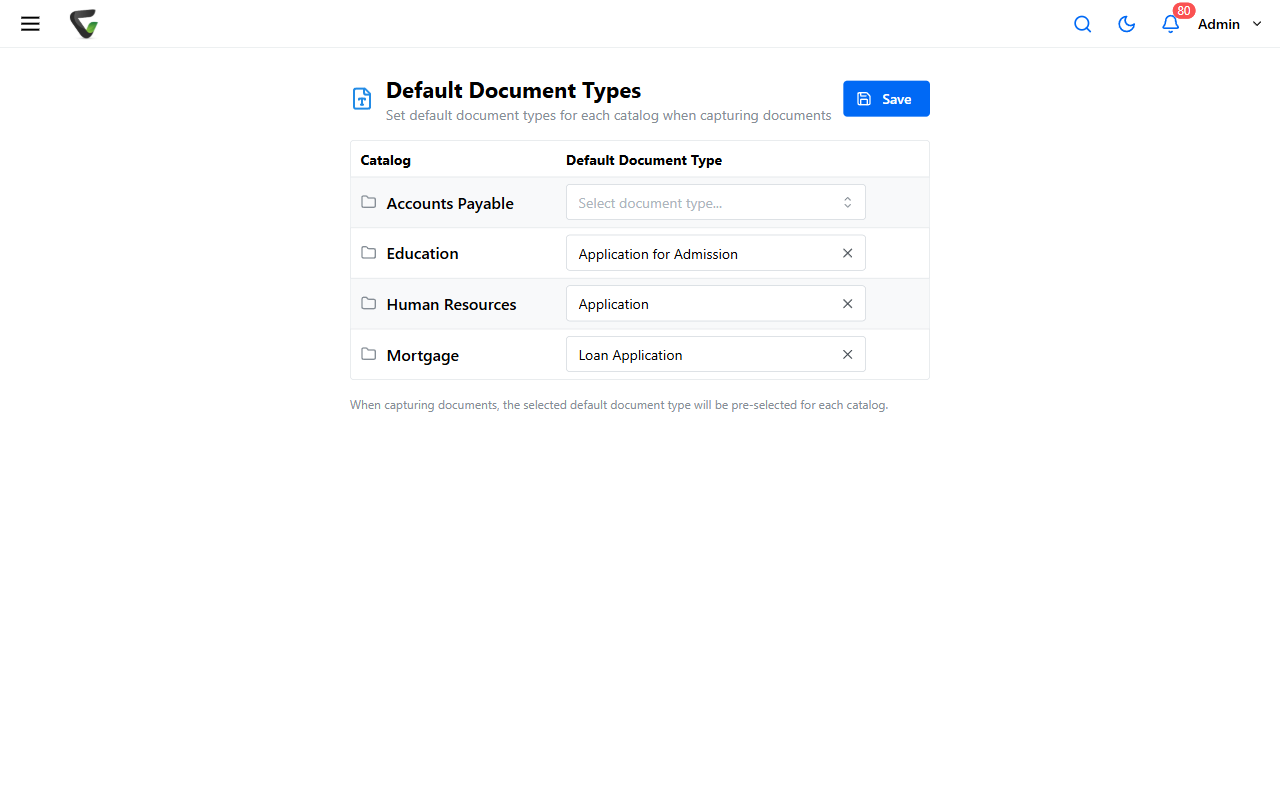
Your choice here outranks any catalog-wide default your administrator set — this page is yours.
Where it pays off
Every capture surface that asks "which catalog? which type?" now pre-answers: uploading from your computer, DirectScan, QCard generation. You can always override on the page — defaults are the starting position, not a limit.
Success check: open Capture New > Electronic — your catalog and document type are already selected, fields ready. If the type didn't preselect, check the Default DocTypes row for that specific catalog: the setting is per catalog, and it's usually the other catalog that got set.