
Edit documents in place with Content Director
Click Edit, work in Word or Excel or whatever the file opens in, and check the changes back in — the Content Director desktop companion that makes it work, the three-choice prompt when you're done, and the errors that mean it isn't running.
Before you begin
- Content Director installed on your computer (from your avatar menu > Downloads)
At the end of this guide, clicking Edit on a document opens it in its native application — Word, Excel, whatever the file calls for — and saving your work checks a new version back in, with the check-out/check-in bookkeeping handled for you.
The one-time setup
The Edit action hands the file to a small desktop companion called Content Director. Install it once per computer:
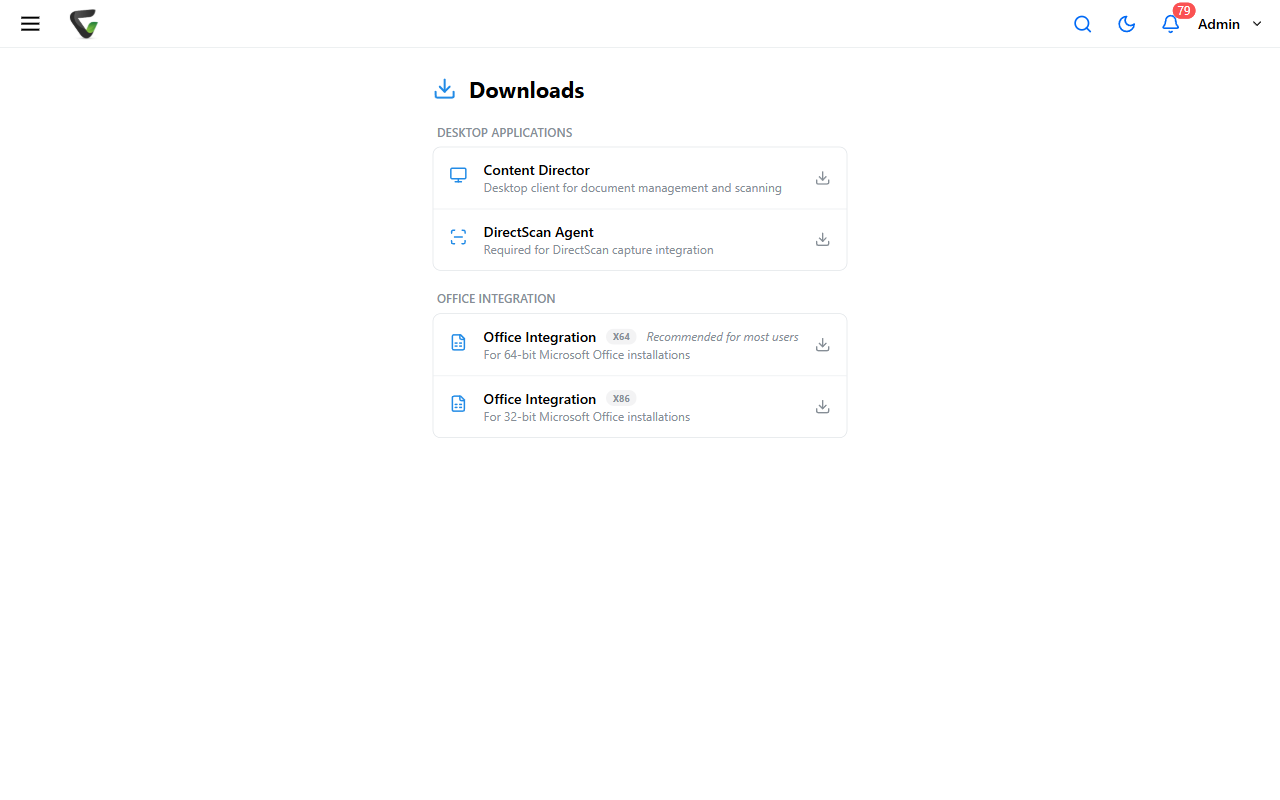
Open your avatar menu and choose Downloads.
Under Desktop Applications, download Content Director ("Desktop client for document management and scanning") and run the installer.
It runs quietly in the system tray from then on.
Editing a document
Choose Edit in the document's actions menu (search results, Folder Browser, or the viewer).
noteEdit and Edit Properties are neighbors that do different things — Edit opens the file for editing; Edit Properties unlocks the field values.
Content Director takes over, and its tray messages narrate the sequence: the document is checked out on the server, downloaded to your computer, and opened in whatever application owns that file type.
Do your editing and save as you normally would. When Content Director notices the changed file, it asks — "Changes detected. What would you like to do?" — with three choices:
Choice Result Upload and check in local copy Your changes become a new major version; the check-out is released Keep local copy for further editing Nothing uploads yet — the document stays checked out to you for another session Discard local copy and undo check-out Your changes are thrown away; the document returns untouched Close the file in its application before choosing upload or discard — the prompt's footnote asks for exactly that.
Success check: after checking in, the document's Version History shows a new Checked In row at a new major version, and the lock icon is gone.
When Edit doesn't launch anything
The browser can only ask Content Director to act — these messages mean the request didn't land:
- "Content Director is not running, is not installed, or its security certificate is not trusted on this computer." — Start it (or install it, above). If it's running and this persists, the certificate note is for your IT team.
- "Content Director did not respond. It may be busy or waiting on a prompt behind another window." — Check the tray and your other windows; an earlier prompt may be waiting.
- "This browser blocked Content Central from contacting Content Director on this computer." — The message names its own fix: the server needs a current update; pass it to your administrator verbatim.
And the refusals that are about the document, not the plumbing: checked out by another user, on an approval process, no check-out permission, or you've hit the maximum number of simultaneous check-outs — each says so in as many words.